
How to Create AI Cartoons from Scratch and Make Money: Free Doitong Tutorial for Beginners
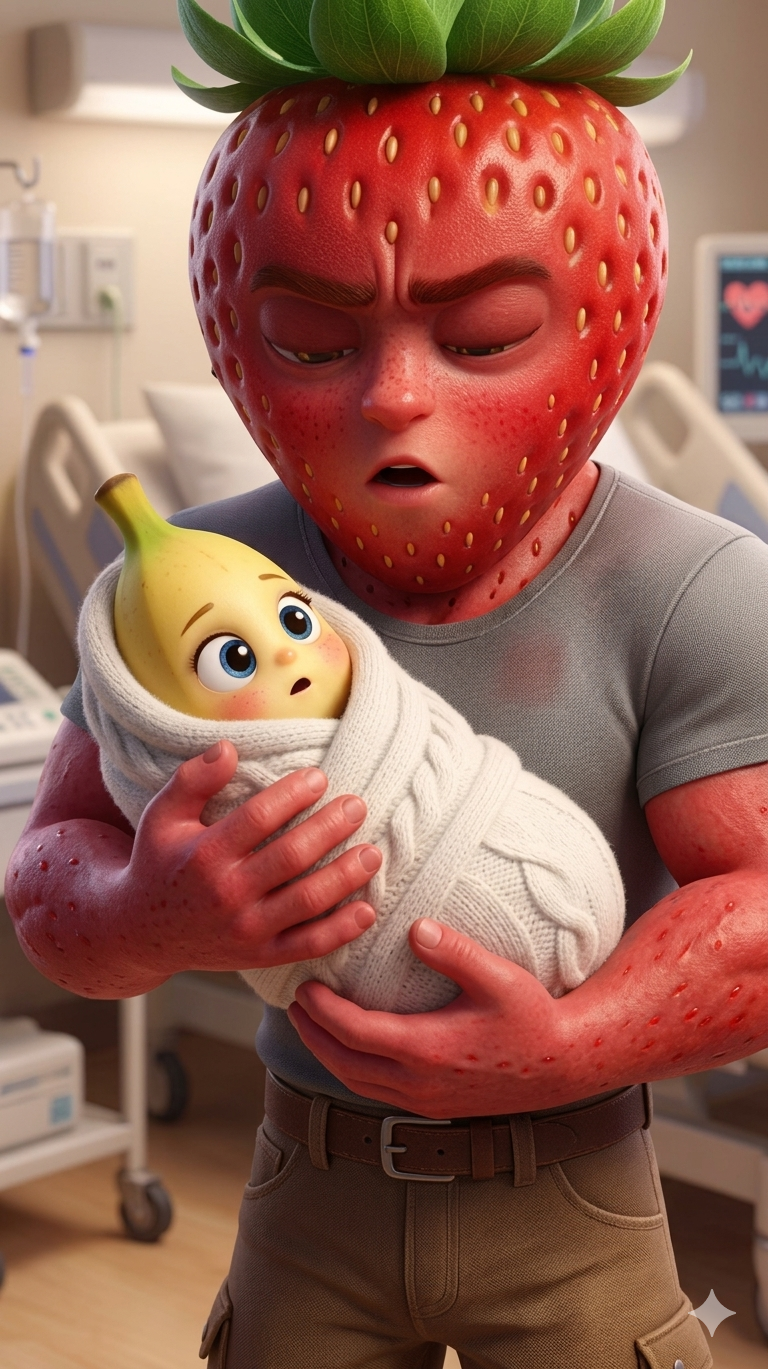
Millions of views aren't just being gathered by strawberry cartoons — the feed is filled with animated videos on various topics: absurd dialogues between vegetables, living sneakers, arguing human organs, and other creatures.
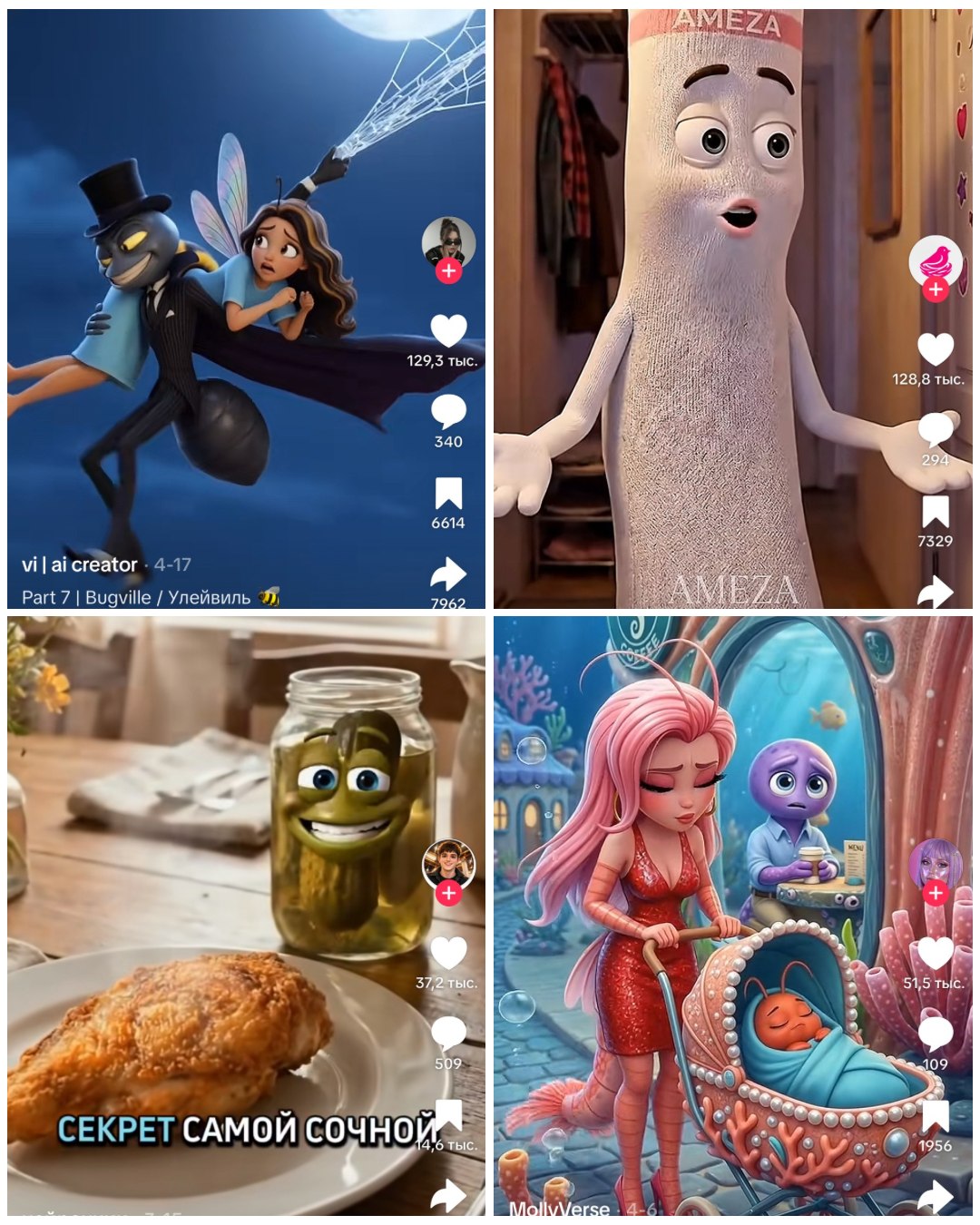
They make it into TikTok, Reels, and Shorts recommendations, and they're made by ordinary creators without a studio, team, or big budgets. Behind each such video is one person with a laptop and a couple of AI services.
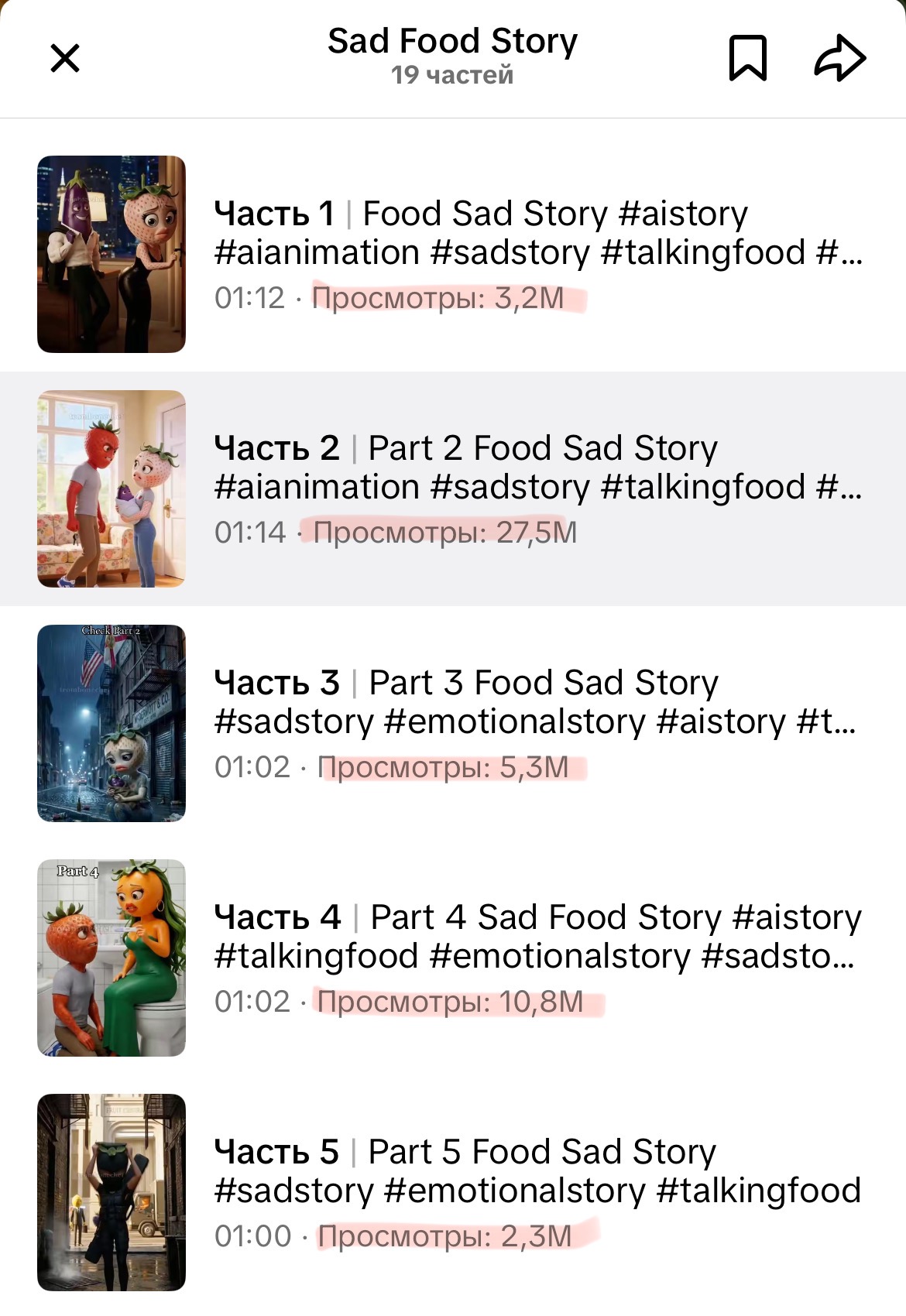
Trends change, but the short AI cartoon format will stay on top for a long time: businesses need unusual content, and platforms promote anything that stands out from the regular feed. The best part is that even a beginner with no experience can put together their first video in one evening and get views.
In this article, I'll break down step by step how to create an AI cartoon quickly using just one tool. From idea to finished reel.
And yes, I'll create an AI cartoon along with you — we'll see how many views it gathers from the moment this article is published.
Why Creating a Cartoon Is Harder Than It Seems (and How to Avoid That)
Experts on Reels say that a neural network will make an AI cartoon for you with one click. In practice, the process breaks down into separate steps, and each one requires its own tool.
The classic way to create an AI cartoon looks like this:
-
come up with an idea
-
write prompts
-
generate images
-
animate the images into video
-
generate a voice
-
assemble everything into one video during editing
Six stages, and for each one — a separate service. Each has its own subscription, interface, credits, and quirks. In the end, you spend hours learning tools, get confused by formats, overpay for multiple plans, and at some point, you give up on the idea.
Because it's time-consuming, expensive, and inconvenient. The process falls apart: characters change from frame to frame, style jumps around, voices sound robotic, and subscription credits melt faster than you can assemble the final video.
Creating an AI Cartoon Quickly in One Place
If you're just starting to generate your first videos — it's more convenient to use Doitong. The service gathers all the chaos into one system: script, images, video, voiceover, final assembly. The output is a finished cartoon.
Doitong's main feature is the storyboard. It shows the full visual plan of the future video as a sequence of scenes: what happens in each scene, which characters appear, what lines are spoken, which frame comes next, and how the story ends.
Without a storyboard, a beginner generates beautiful but disconnected frames. With a storyboard, you get a cohesive story, not a collection of random generations.
You can also take any popular cartoon that's already gathered millions of views and create your own unique video based on it. Upload a viral video as a reference — the neural network breaks it down into scenes, tempo, and style, and you change the characters, plot, and theme to fit your needs. A working strategy for those who want to quickly jump into trends and get views from their first reels.
Each scene can be manually refined down to the smallest details: the character's face in the right angle, precise lip movement, identical background between scenes. But this will take 10 times longer. If you need fine-tuning, there's a separate tool for that — Syntx.
For most of my tasks, Doitong's capabilities are more than enough.
Let me walk you through the process of creating an animated film step by step — so you can generate your first reel today.
Step-by-Step Guide: Creating Your First Video from Scratch
Step 1: Registration and Login
First, open the website — all the links below are unique and will give you a 10% discount on your first token purchase:
-
If you're in Russia, go to the site with the .ru domain: Go to site
-
If you're in another country or using a VPN, go to the .com site: Go to site
-
Promo code for 10% discount and free generations at the start: SEO
-
If you like to create on the go, download the iPhone app and enter the promo code SEO when purchasing credits — you'll also get a 10% discount and free tokens at the start: Download from App Store
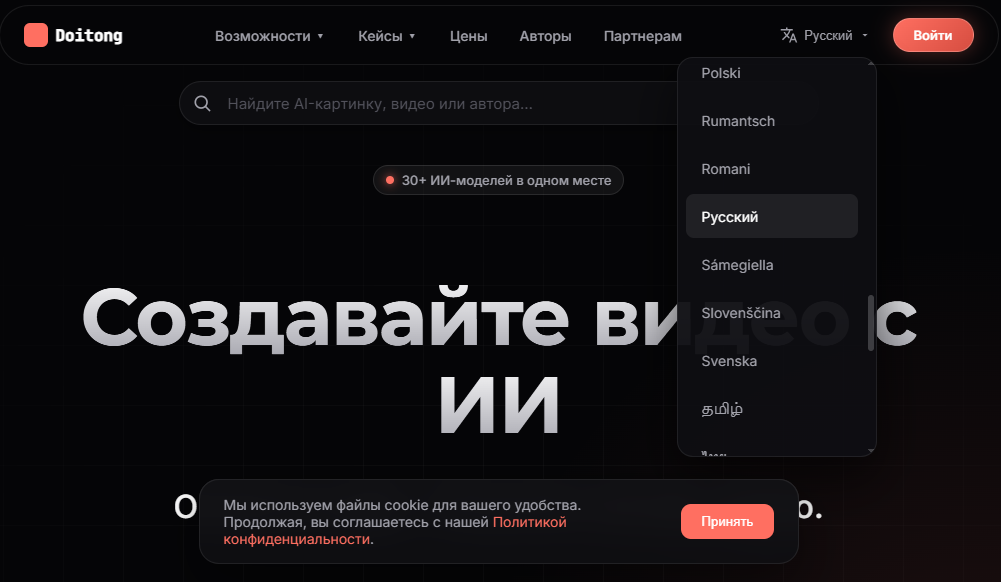
The interface language is usually selected automatically, but you can always change it in the settings.
Then click the "Login" button and go through quick registration: enter your email and create a password. Or choose "Login with Google" — registration will take no more than a minute.
Step 2: Brand Book Setup
Don't skip this step! In the brand book, you set the DNA of your video: aspect ratio, logos, and most importantly — references.
To open your workspace, click "Storyboard" on the left panel and select "Brand Book."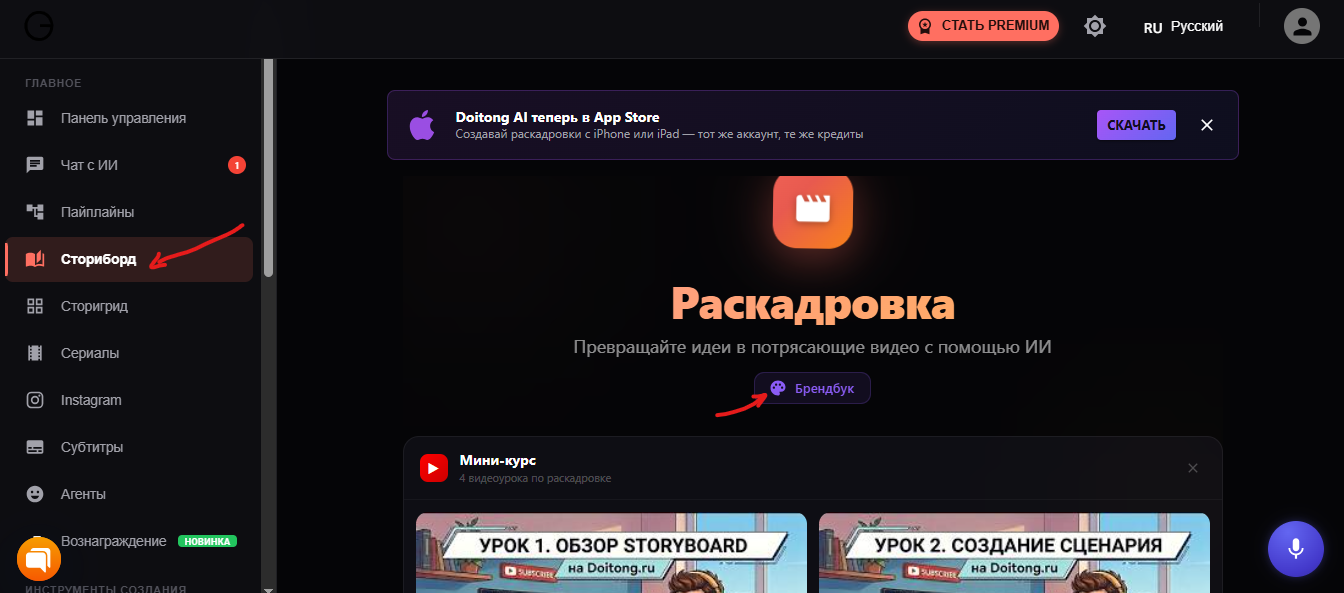 Here you can upload a Watermark and your Brand Logo — they will appear in all scenes. This isn't mandatory, you can skip this step for now. But it's better to choose your brand colors right away — you can add one or several.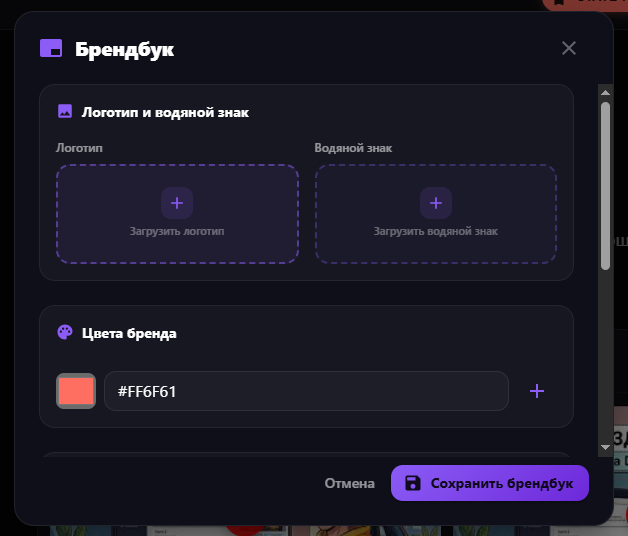
Below you can choose:
-
The style of the future video, for example: 3D Pixar, Anime, Disney (I chose Pixar for my video),
-
Language
-
Aspect ratio — 9:16 for Reels, 16:9 for YouTube, or 1:1 for posts,
-
Brand tone — Friendly, Zoomer, Official, etc.
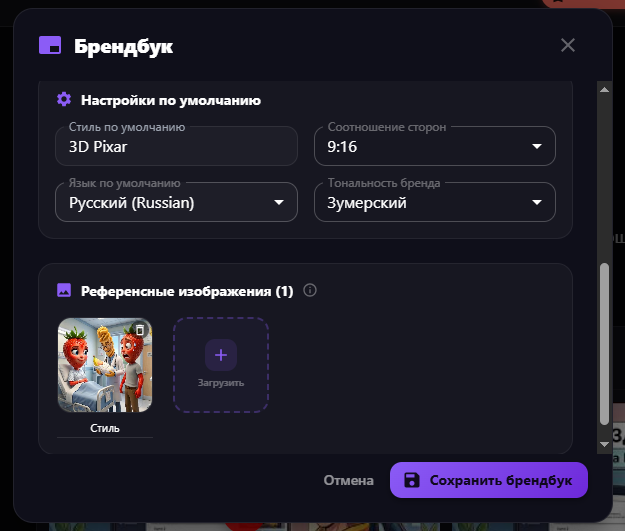
You can also upload a screenshot of a cartoon you like as a reference — this way the neural networks will match the style of the future video.
Tip: If you're making an ad for a product, upload a photo of the product and describe it as precisely as possible, for example: "White sneakers with an orange stripe from Brand X," not just "White sneakers." The more precise the description, the more consistently the item will appear across different scenes.
Step 3: Idea Description and Style Selection
After the brand book, go to the "Your video idea" field. Here you need to explain what video you want to get.
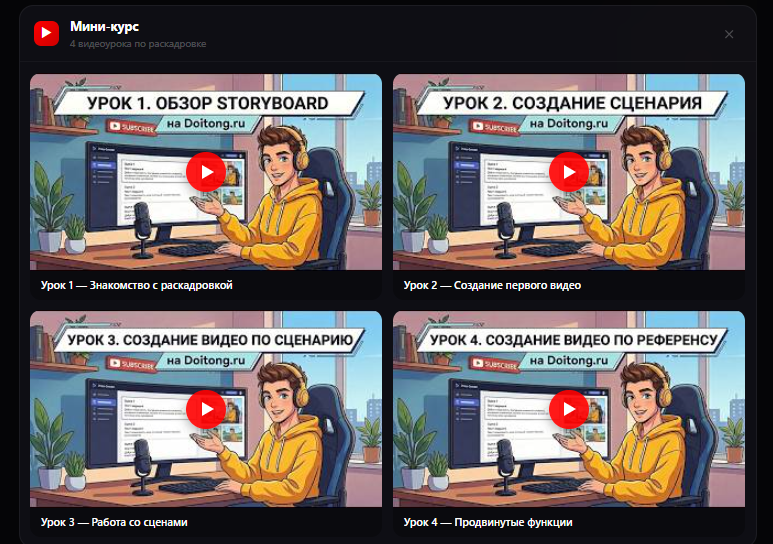
Important! I'm giving instructions for quick cartoon generation — it took me 10 minutes to create it. I recommend watching the mini-training (it appears before the "Your Idea" block) so you don't burn extra credits and don't have to redo individual scenes or the entire cartoon.
You don't need to write a full-page literary script for the idea. But it's important to give the neural network enough context.
Bad:
Make a cartoon about a cat.
Good:
PS5 and Xbox have a drama over who's the main one in the room.
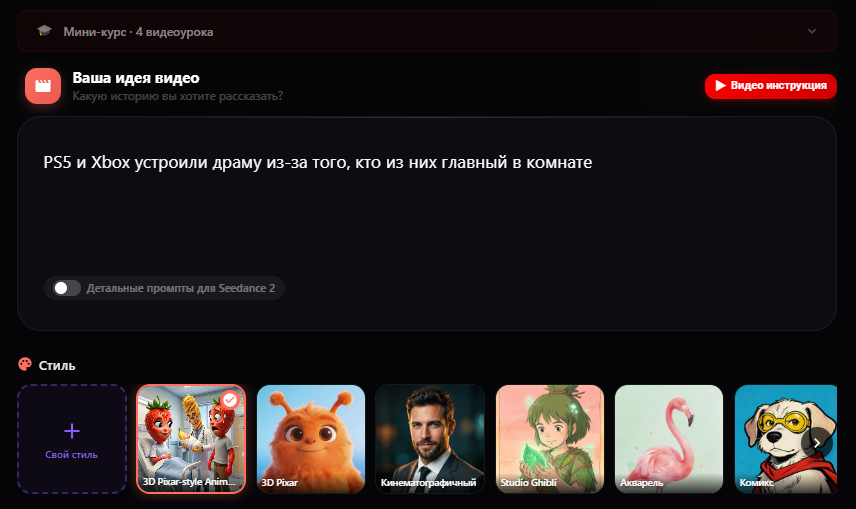
So in the idea, it's advisable to specify:
- who the main characters are
- what happens
- what the main message of the video is
The clearer you explain the idea, the better the service will break it down into scenes.
Step 4: Reference Video — The Secret to Virality
This is a killer feature for beginners. Found a popular cartoon that got 5 million views? Upload it as a reference (up to 200 MB).
You take popular videos and the neural network makes them unique. You'll get a similar cartoon, but unique, with a high chance of getting many views. You can manually change the characters and make it even more unique.
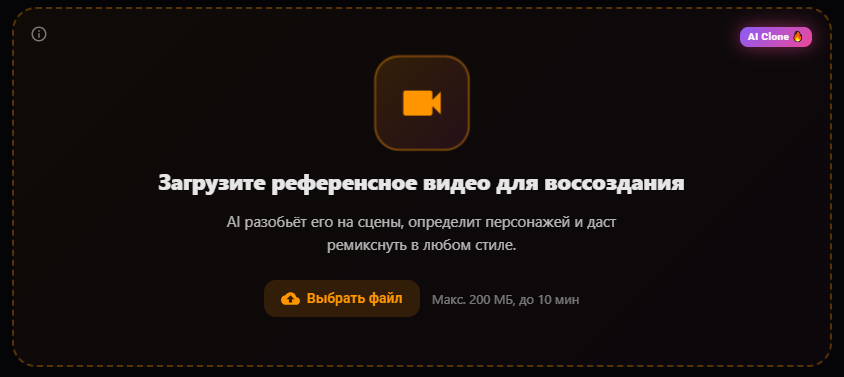
Doitong will analyze the structure, tempo, and delivery, then create a unique, original video based on it. You take a working success formula and adapt it for yourself. A fast track to big reach.
Step 5: Configure the Format
-
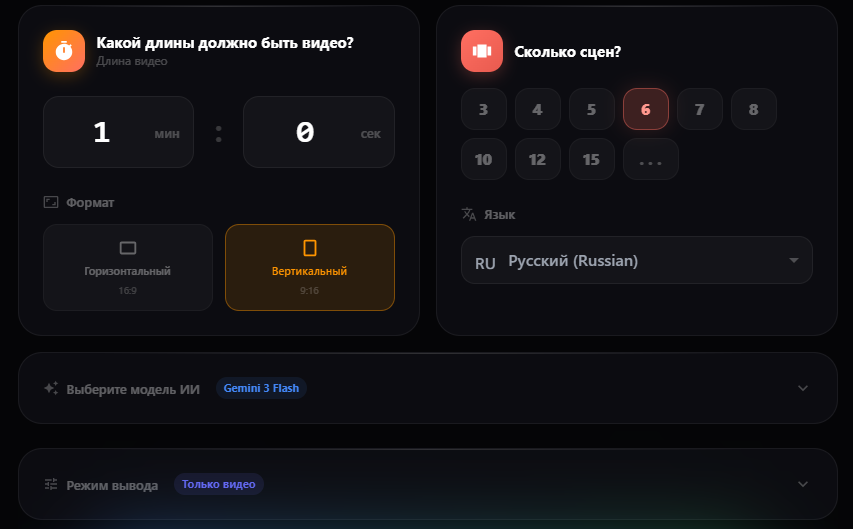
The first parameter is video duration. The longer the video, the more credits it will consume. So for testing, it's better to start with a short format: 15 or 30 seconds.
-
After the duration, specify the number of scenes. Too few scenes and the video might feel choppy. Too many scenes and you'll overpay and complicate the generation without real benefit. A convenient rule of thumb: count roughly 5 seconds per scene. For example: 15 seconds — 3 scenes, 30 seconds — 6 scenes, etc.
-
Then set the language for the future video and the frame format.
-
The next step is model selection. It's better to try a more affordable model first, like Gemini Flash, check the result on a few scenes, and only then move on to heavier options.
-
Output mode — one of the most important blocks. It determines what form the storyboard and future video will take.
Choose the appropriate mode:
-
Video only: For action and dynamics.
-
Video + Slides: Optimal price/quality ratio.
-
Voice first: Sound is created first, then video is matched to it (ideal for expert blogs).
Step 6: Generation and Export
-
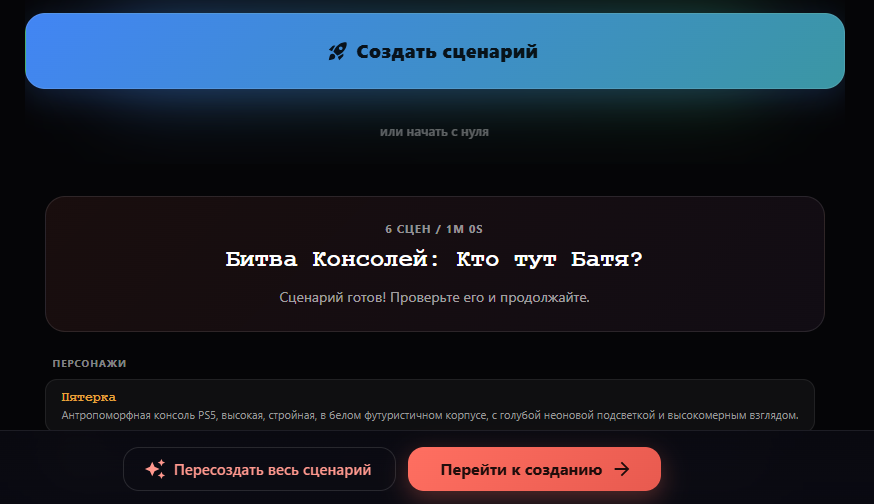
Click "Create script." Be sure to check the text and prompts for each scene before generating! It's better to manually edit the text now than to redo the entire video later. I liked the script right away, so I left everything as is.
-
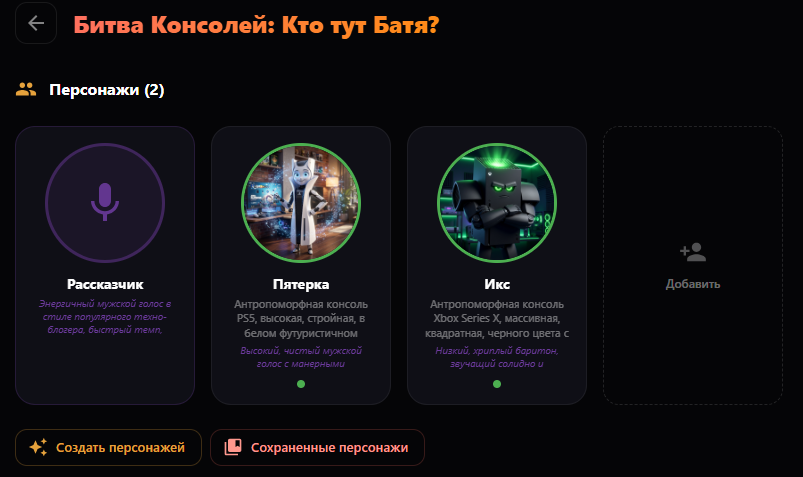
Now you need to create the main characters. There are two options:
- generate characters directly inside Doitong
- prepare images in advance in an external service and upload them manually
The second option can help save credits, because generating images inside the platform also consumes credits.
-
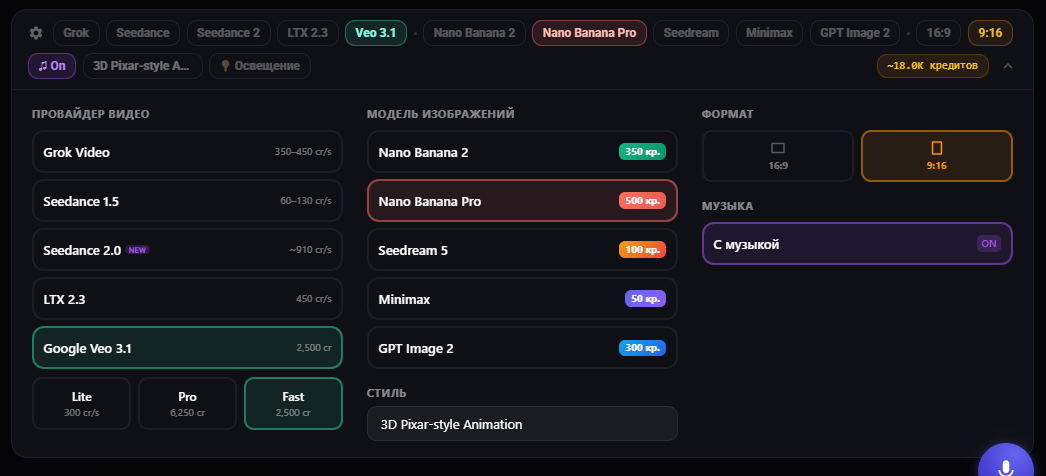
Below you can choose the latest models for photo and video generation. At the time of writing, I selected the best neural networks in terms of price/quality — you can customize them to your needs.
-
Next, create the cartoon itself. Generate scenes one by one, check the results. You can separately edit the voice, text, image, and video of each scene. This is very convenient — I didn't like the voice in one scene and the image in another.
I made the edits, clicked "Export," and the service automatically assembled all the scenes into one video. No editing needed!
I ended up with a finished reel right away — I didn't write a script, didn't jump between different services, and all of this from one short idea. Can you imagine the opportunities this opens up for your blog and earnings?
How Not to Burn Extra Credits
Be sure to watch the free mini-training course on the platform, and try to follow these simple rules:
- don't set a video that's too long for testing
- don't use an expensive model at the initial stage
- check how the service understood the task, style, and script
- and only then scale up production
How to Make Money with AI Cartoons
This format can be sold to businesses, used for your own social media, or monetized through an affiliate program.
Way 1: Create Cartoons for Brands and Entrepreneurs
You can create videos for:
- cosmetic brands and marketplace sellers
- cafes and restaurants
- children's projects and businesses
- experts and online schools
- Telegram channels and agencies
Where to find clients?
Everything comes to me through short videos on social media, and my page essentially serves as a portfolio. People visit, look at examples, understand the level, and reach out themselves. So I recommend regularly posting videos for your target audience and staying visible in the feed.
One video might not do much, but 30–50 over a month usually changes the picture both in terms of reach and inbound requests.
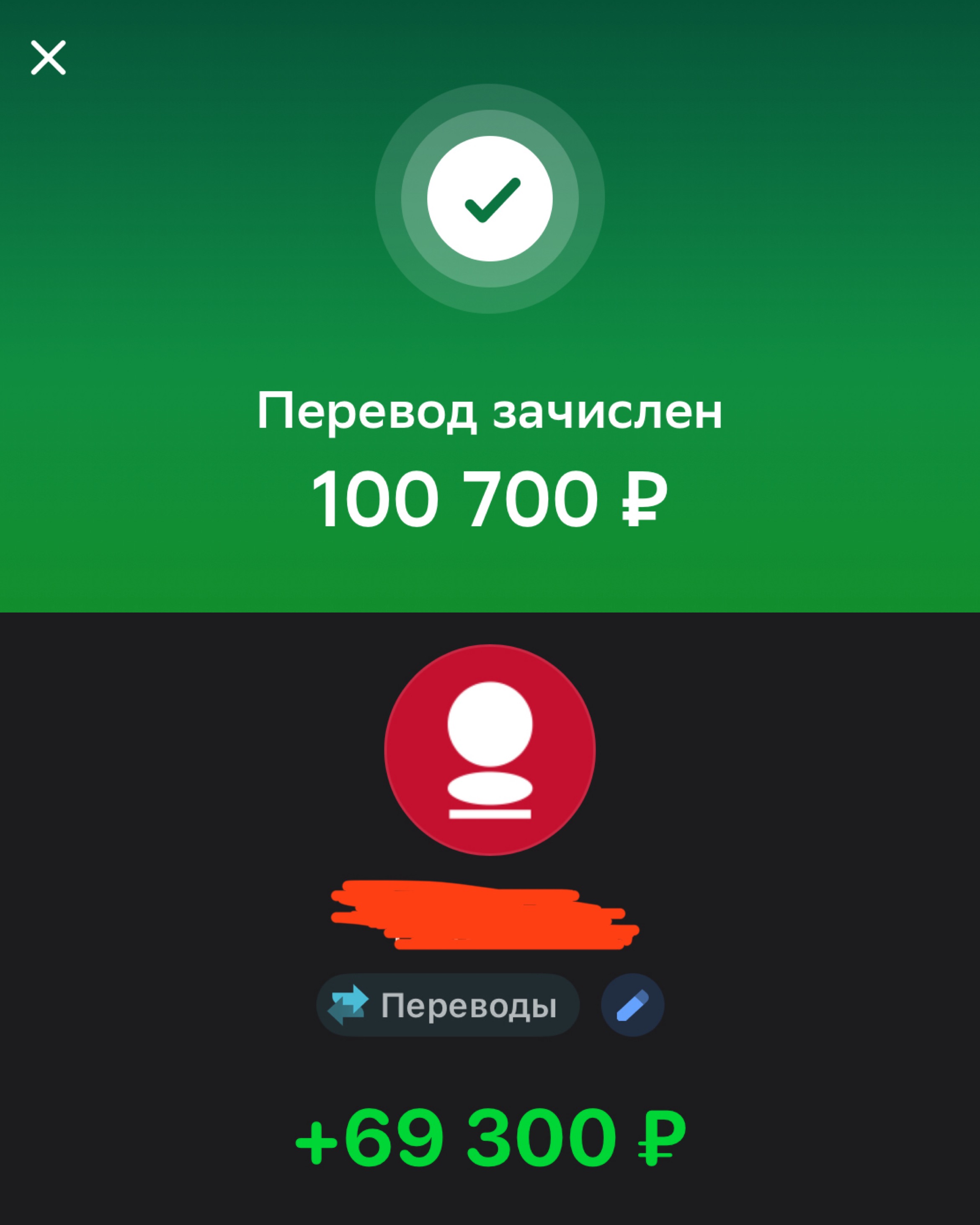
In terms of pricing: one episode costs me 10,000 ₽, but clients often buy in bulk, for example 10 episodes with a discount, which averages 90,000 ₽ per order.
Way 2: Promote the Doitong Affiliate Program
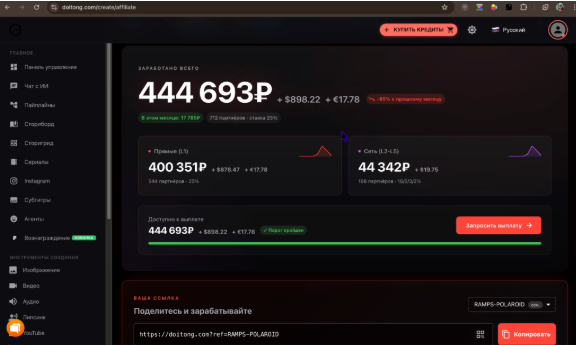
Tell your audience about the platform, show your videos, explain the creation process, and provide your affiliate link. If another user clicks that link and starts making cartoons, you earn through the affiliate program.
Content strategy for an author or partner:
1) Make several demo videos — not just one, but several for different niches and purposes.
2) Create a mini-portfolio — show not just the video, but also the idea: who it's for, what problem it solves, where it can be used.
3) Publish the process — show the storyboard, mistakes, generations, and the final result.
4) Create educational content — explain how to choose an idea, character, format, scene, and model.
5) Lead to Doitong — add links to the service and community.
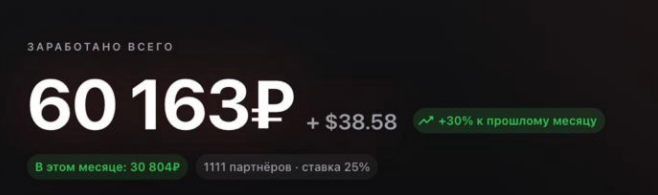
You can simultaneously attract clients for video creation and earn through the affiliate program. From the start, you'll receive 15% of payments from clients registered through your referral link. The more of your friends use the platform — the higher your commission percentage. You can learn more about the referral program on the website under the "Partners" tab.
Where to Start Creating AI Cartoons?
Don't try to create a 5-minute masterpiece right away.
First, watch the free video training right on the platform in the storyboard section (all the buttons are explained there): go to the training
And through this link you'll get access to a community where there is:
- additional training on creating cartoons and working with other neural networks
- free technical support
- help with using the platform
- training on monetization
- and regular giveaways
Start small — make your first 15-30 second video and post it on all social networks. Then the algorithms will show how much this topic resonates with the audience.
You can change characters, create entire series with captivating plots, make clickbait titles, and lead viewers to new cartoons — you're limited only by your imagination.
Your first video doesn't need to be perfect. The main thing is to assemble it, understand the mechanics, and use this skill for content, clients, and the affiliate program.
Happy generating!