
How to Create Viral Cartoons for Social Media in 20 Minutes: A Step-by-Step Guide
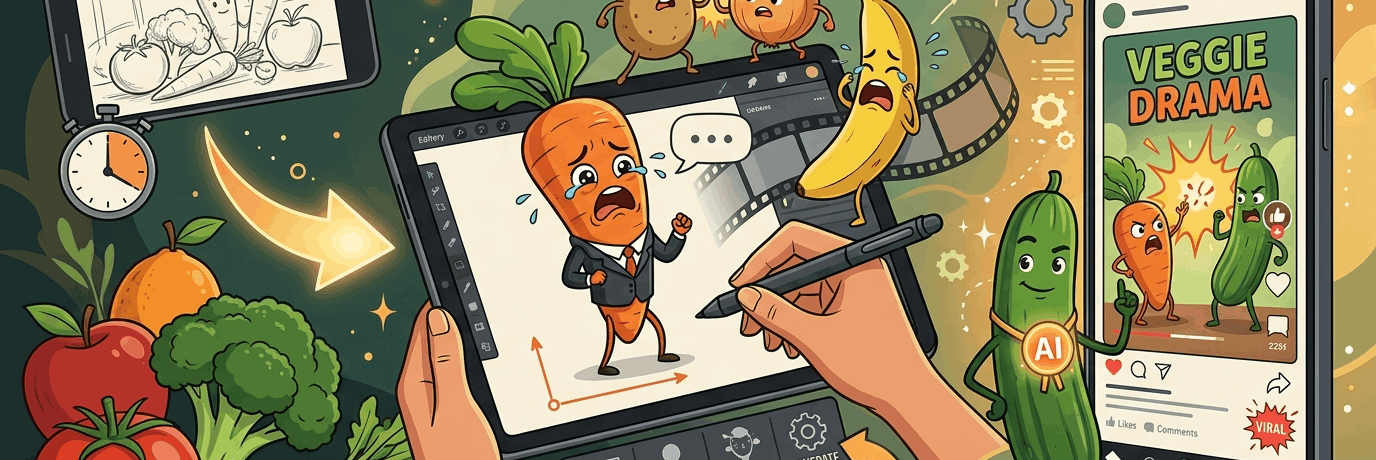
The best part — you don't need to be a professional animator. Today, neural networks allow you to create full-fledged viral cartoons without leaving your bed. The entire process takes 10 to 20 minutes.
In this article, we'll break down how this process works from the inside using a convenient neural network aggregator where everything you need is gathered in one place.
Advantages of Creating Animated Content with AI
If creating animation used to require expensive software and months of training, today the barrier to entry has dropped to zero.
Let's highlight the main advantages:
-
Minimum time. A series of videos is created in 15-20 minutes.
-
Content conveyor. The ability to produce dozens of videos per week.
-
Attention retention. Absurd and dynamic plots keep viewers watching until the very last second.
-
Serialization. You can use fixed characters to create full-fledged soap operas within a single profile.
Step-by-Step Algorithm: From Someone Else's Reference to Your Own Masterpiece
The main feature of the modern platform is the Storyboard function from Doitong. You don't even have to come up with a plot from scratch. You can take an already successful video from competitors and adapt it for yourself.
Step 1. Find and upload a reference
-
Find a popular animated video on Instagram* or TikTok (for example, a vegetable fight or "vegetable drama").
-
Copy the video link and download it using any convenient Telegram bot or downloader.
-
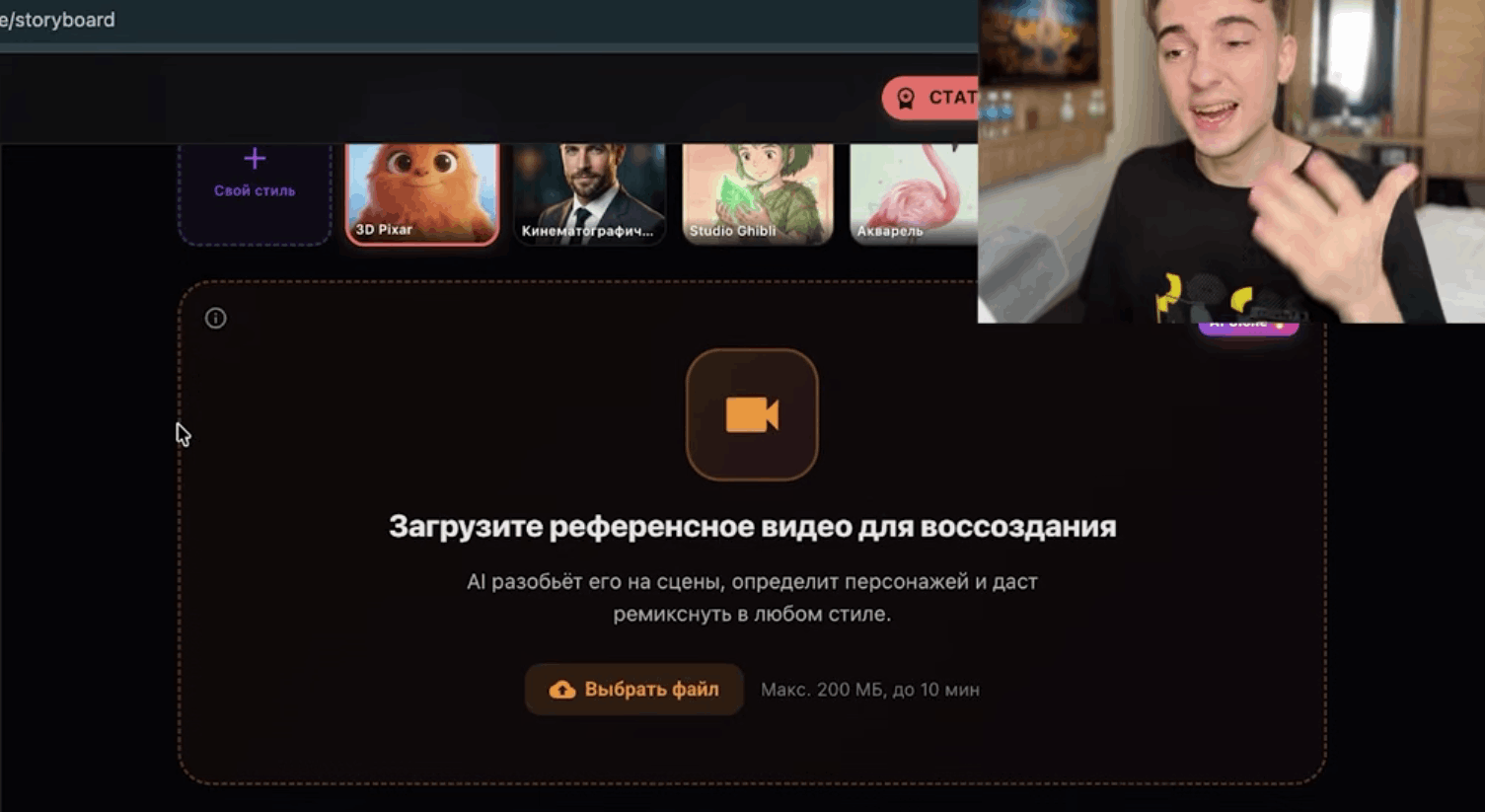
Go to the platform's website, open the Storyboard tab, and click the "Upload reference video for recreation" button.
What does the neural network do? The AI automatically analyzes the uploaded video, recognizes the timing, divides it into scenes, and generates a text script that you can customize to your liking.
Step 2. Adjust scenes and dynamics
After the video analysis, a control panel will open in front of you:
-
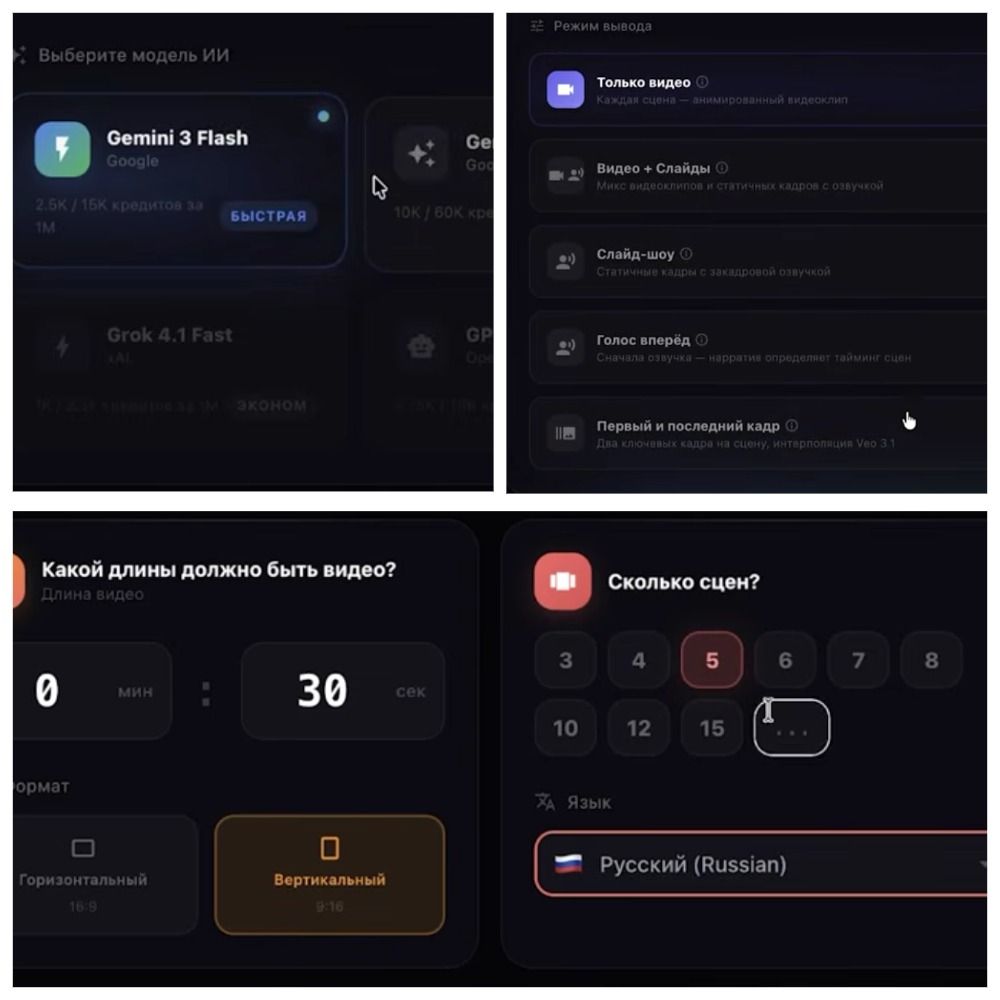
Timing. You'll see the total duration (e.g., 30-40 seconds).
-
Number of scenes. Choose the optimal number of frames. For example, for a 30-second video, 6 scenes of 5 seconds each work perfectly. This ensures ideal dynamics so the viewer doesn't get bored.
-
Language and model. Choose Russian. During testing, use basic (cheaper) AI models so you don't waste extra credits on short 10-second drafts.
-
Output mode. Select "Video only."
Step 3. Create and save characters
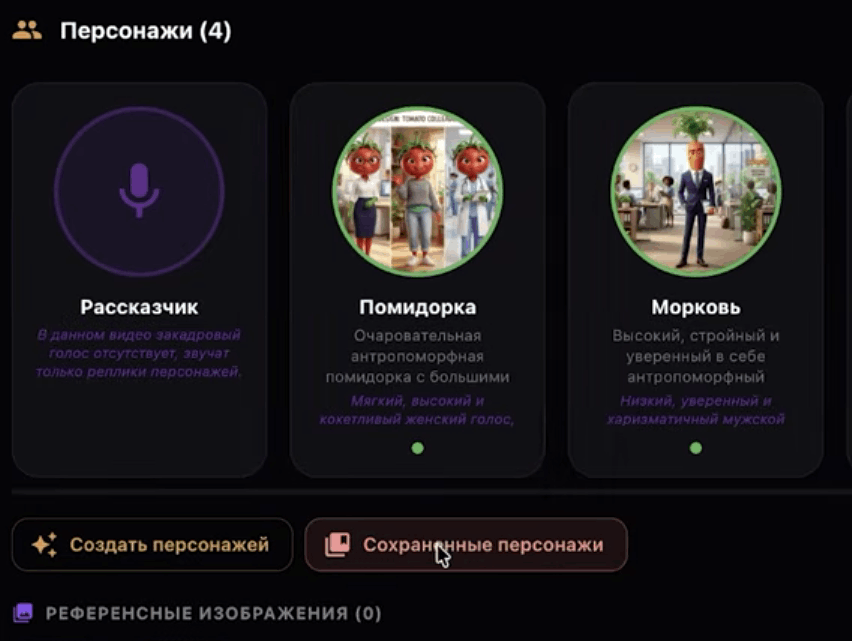
The platform automatically recognizes characters from the script (e.g., "an elegant and cunning carrot in a business suit").
-
You can generate the character's appearance from a text description directly on the site or upload your own image.
-
Important pro tip: Use the "Saved Characters" feature. This allows you to carry the same characters from video to video, preserving their facial expressions, features, and clothing details. Your series will look cohesive and professional.
Step 4. Fine-tune the script and prompts
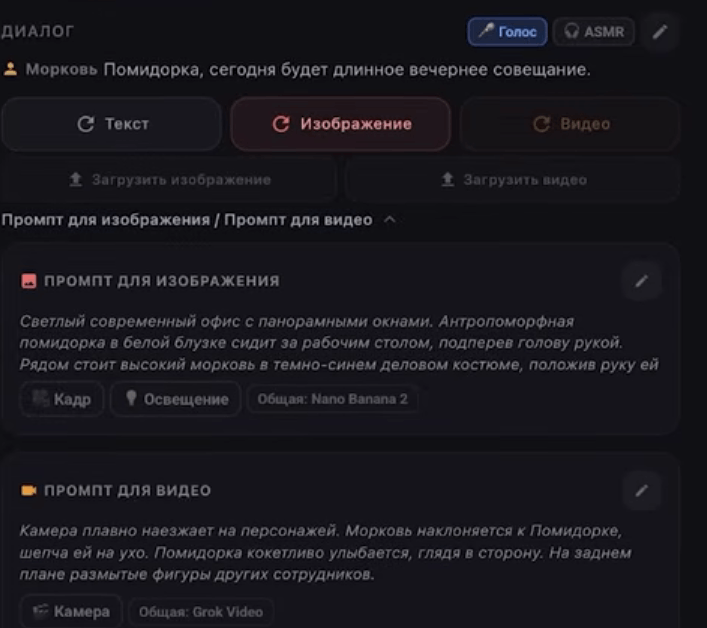
Before the final generation, you can manually edit each scene:
-
Change the text prompt for image or video generation (e.g., switch a bright office to a dark high-tech style).
-
Rewrite character dialogues directly in the text blocks.
-
Add new lines so multiple characters interact in the frame, or remove unnecessary lines.
Step 5. Choose models and generate
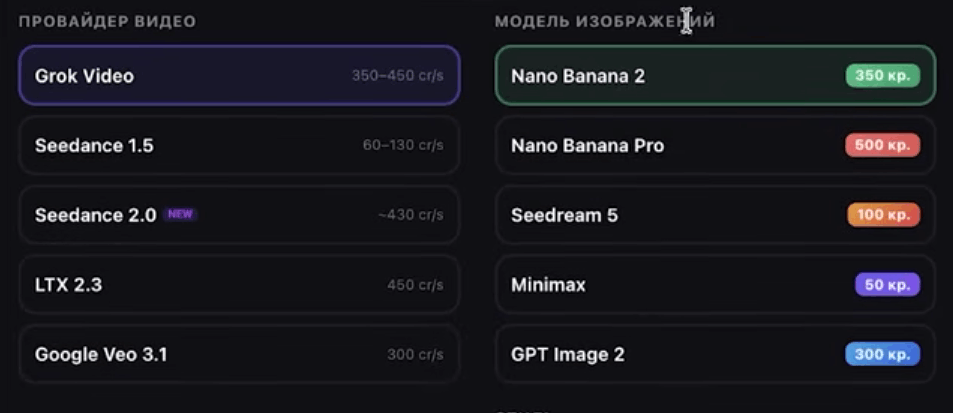
The platform offers flexible AI model selection for different tasks:
-
For images: models like Seedream 5 (less censorship, better with complex anatomical forms) or Nano Banana 2 (high detail).
-
For video: powerful providers like Google Veo or Grok.
In the top right corner of the interface, the exact number of credits that will be deducted for generation is always displayed, allowing you to clearly track your balance.
Generate images and videos separately for each scene so you can make edits in time. If a new idea comes up during the process, just click the "plus" button and add an extra scene with your own text and visuals.
Final Step: Export and Publish
Once all the fragments are reviewed, click the "Export finished video" button. The output is a hilarious, dynamic, and completely unique animated film with voiceover, ready for publication. Music and trending sounds are best added during upload to Instagram* or TikTok — this gives an extra algorithm boost.
Plans, Bonuses, and Monetization Opportunities
The platform is friendly to beginners and offers excellent conditions for starting and scaling.
|
Feature |
Description |
|
Free start |
Every new account receives 2,500 free credits. By the way, the promo code AGR gives a 10% discount on a subscription and 15,000 credits. |
|
Favorable plans |
Choose a package that fits your volume — from occasional posts to a professional conveyor (up to 4,500 videos and voiceovers per year). |
|
Training and community |
A mini-course for beginners is available on the site. The project's Telegram channel publishes free lessons on creating cartoons and monetization, holds giveaways, and provides technical support. |
|
Affiliate program |
If you're a blogger or creator, you can promote the service through the referral system and earn money together with the platform. |
Conclusion
Creating AI animation is one of the fastest and most budget-friendly ways to enter the content creation space in 2026. You don't need powerful computers or drawing skills. All you need is a phone, twenty minutes of free time, and a bit of imagination. Try it out, test different models, launch your own series, and reach millions of views!
*The activities of Meta Platforms Inc. and its services (Facebook, Instagram) are recognized as extremist and prohibited on the territory of the Russian Federation.